Ever stared at a waterfall full of FT8 traffic and gotten not one decode? Before you blame the antenna, check the least glamorous thing in the shack: your PC clock.
FT8, FT4, and the rest of the WSJT-X family need your computer within about one second of real UTC. Drift past that and the decoder just shrugs — strong signals in the waterfall, empty Band Activity window. “Signals but no decodes” is almost always a timing problem, and it’s maddening precisely because nothing looks wrong.
The sneaky part: a fresh Windows install often leaves the Windows Time service set to “manual” and simply stopped. Your clock is quietly free-running on the motherboard crystal, drifting a little more every day, and Windows never says a word.
A stoplight for your clock
So I wrote a tiny tool: NTP Time Sync. It puts a single colored dot in your system tray.
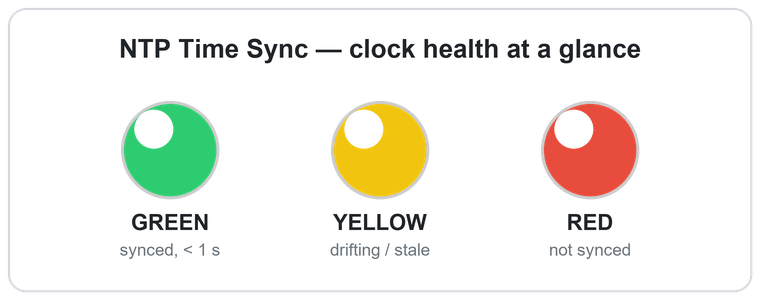
- 🟢 Green — clock accurate, you’re good to operate.
- 🟡 Yellow — drifting, stale, or the time service isn’t running.
- 🔴 Red — more than a couple seconds off, or the time server is unreachable.
No dialog to open, no numbers to read — just glance at the dot. Hover for a one-line summary; click for the full readout. When something’s wrong it tells you why, and the fixes are one click away: start the Windows Time service, point it at a time server, and set it to keep running across reboots. It measures your clock against an independent reference, so the light reflects your actual accuracy, not just whether the service is alive.
Two ways to run it
Installer — download the .exe, double-click, and it sets itself up: starts with Windows, shows up in Installed apps so you can remove it cleanly later (it’ll even offer to put your time settings back the way it found them). No Python, no dependencies.
Portable — grab the .zip, unzip to a USB stick or any folder, and run it. It installs nothing and leaves no trace — handy for a Field Day laptop or a shared shack PC.
It’s free and open source (GPLv3) — every line is on GitHub. One heads-up: it isn’t code-signed, so Windows SmartScreen will say “Windows protected your PC.” Click More info → Run anyway.
👉 Checkout the latest release here
If it saves you even one “why won’t anything decode?!” evening, it did its job. Feedback and issues welcome.
73,
David — AB0R